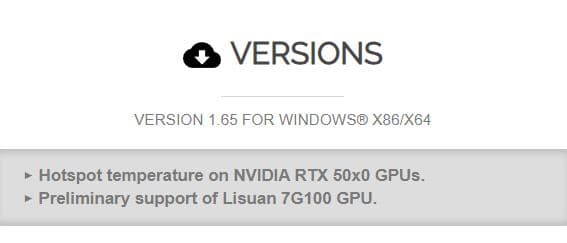
NVIDIA blocked hotspot temperature readings on RTX 50 cards. CPUID, the company behind HWMonitor, just added them back. Version 1.65 can now read hotspot temps again.
This matters because hotspot temperatures show you exactly where your GPU is actually overheating, not just the average. Some RTX 50 cards were hitting 107 degrees at the hotspot while showing only 70 to 80 degrees average. The GPU throttled itself to protect from damage. Performance tanked. Average temperature looked fine.
Average GPU Temp
What everyone could previously see
70–80°C
GPU Hotspot Temp
The real temperature causing throttling
107°C+
Now you can see both numbers clearly and diagnose the actual problem without guessing.
What This Means
Before RTX 50, HWMonitor showed hotspot temperatures as standard. NVIDIA removed the software access to this data, and HWMonitor couldn't read it anymore. Modders had to hack it to make the sensor work again, which revealed the thermal issues NVIDIA was hiding in plain sight.
CPUID went through official channels. They figured out how to access the hotspot data and added native support to HWMonitor version 1.65. Now it's back in the monitoring utility that most people actually use on a daily basis.
The sensor was always there on the silicon. NVIDIA just disabled software access to it. Now it's accessible again.
Why This Matters For You
If your RTX 50 card is running slower than it should, you can now actually see why. Average temperature might look fine, but hotspot is the critical number. You can identify if it's a cooling contact problem or just a bad thermal paste job from the factory. Then you can fix it.
Before this update, you had absolutely no way to diagnose the issue without running mods or using hacky, untrusted third-party software.
What To Do
Update HWMonitor
Download HWMonitor 1.65 (or later) from Cupid.
Monitor Under Load
Launch it and leave it running in the background while gaming or running intensive benchmarks.
Check the Delta
Watch both the average GPU temperature and the hotspot temperature.
The Verdict
If the hotspot is significantly higher than the average temperature (a difference of 25°C or more), you likely have a thermal contact problem requiring a repaste. If they're relatively close together, your cooling setup is fine.
That's it. Now you have the tool NVIDIA was blocking.
Share this article to fellow gamers